
How do I see who owes me money?
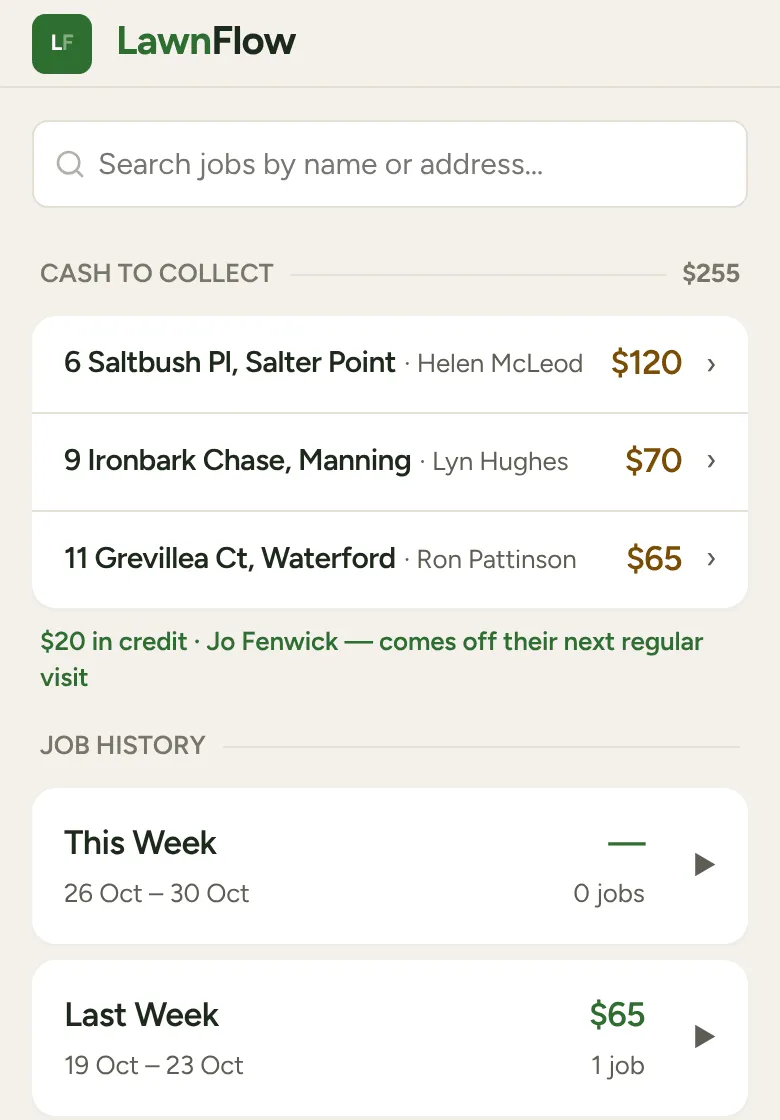
Open the Money tab. Cash to collect lists everyone who owes you, with the total at the top. Tap a row to record what they paid.
How money ends up owing
Section titled “How money ends up owing”When you finish a job and the customer can’t pay, tap No Cash — Add to Tab on the finish sheet. The visit goes on their tab. If they pay less than the visit, the rest goes on their tab too. Next time, Paid in Full takes the visit and the tab together.
Collecting
Section titled “Collecting”-
Open the Money tab. Under Cash to collect, each row shows the address, the name and what they owe. With no route set, the biggest amount is at the top.
-
If you’ve routed today, the people on today’s run come first, in stop order, under On today’s run. That’s your cue to ask while you’re there. Everyone else is under Another day.
-
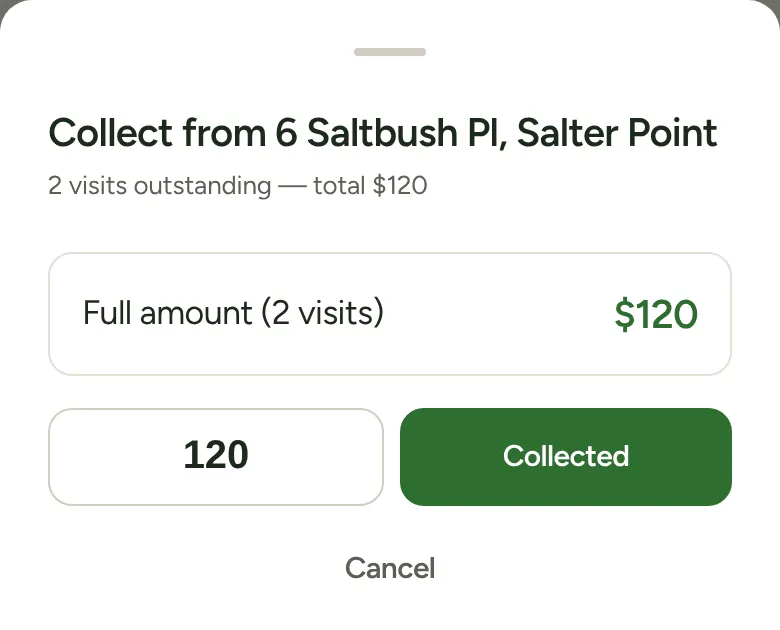
Tap a row. The sheet says how many visits are outstanding and the total.
-
Tap Full amount. If they owe two or more visits, you can tap Today’s visit only instead. Or type what they handed you and tap Collected.
Anything they didn’t pay stays on their tab, and the row stays on the list until it’s cleared.
Good to know
Section titled “Good to know”- A long list shows five at a time. Tap the line under it to see the rest. The people on today’s run are never folded away.
- Customers on hold still show if they owe you, marked On hold, so a debt never goes missing.
- Credit. If you owe a customer money, they aren’t on this list. A green line under it says how much credit you’re holding and that it comes off their next regular visit.
- Fixing a tab by hand. On the customer’s page, tap the Tab row. Choose Owed or Credit, type the amount and save. Type 0 to clear it.