
What if they pay a different amount?
Tap Paid a different amount and type what they gave you. Anything short goes on their tab. Anything over is kept as credit, unless you say it was for extra work.
-
Tap Job Complete, then Paid a different amount.
-
The Amount Received box is filled in with what’s due. Change it to what they actually handed you.
-
Tap Confirm.
They gave you less
Section titled “They gave you less”Before you confirm, the sheet tells you, for example “$20 shortfall will be added to their tab”. The $20 goes on their tab and shows on the Money tab, ready to collect next time.
If it’s more than $5 under what was due, on a customer you’ve done before, the sheet also asks What changed? Type a few words if you like (“only did the front”). It’s saved in their history. You can leave it blank.
They gave you more
Section titled “They gave you more”The button changes from Confirm to Keep $15 as credit. That’s the normal choice: the extra $15 comes off their next regular visit.
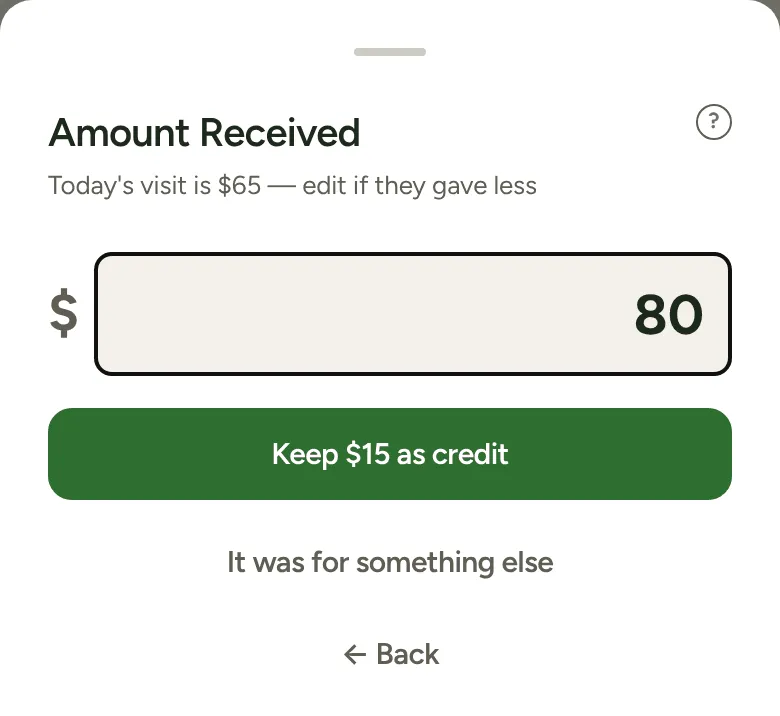
If the extra money was for more work, like a spray or a hedge you did while you were there, tap It was for something else first. Nothing goes to their credit, and the sheet asks What was the extra for? so the work is written in their history.
When they’re in credit
Section titled “When they’re in credit”You don’t need to work anything out. The first button on the Job Complete sheet already takes the credit off, for example Cash Paid — $50 with “$15 credit used” underneath. If the credit covers the whole visit, it reads Covered by credit — nothing to collect. Tap it and you’re done.
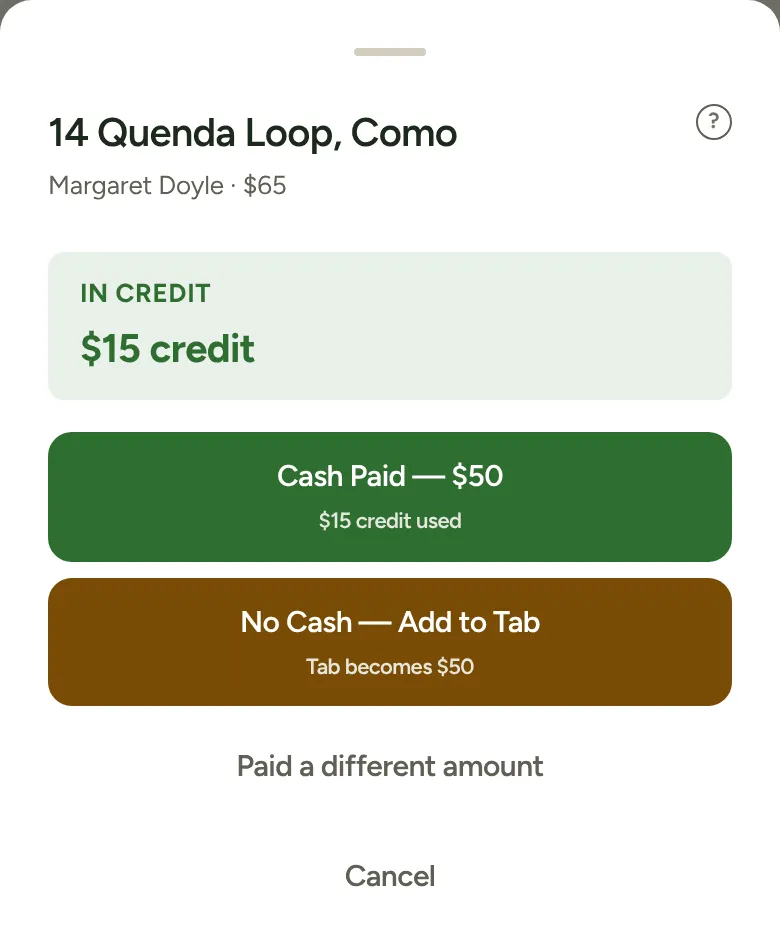
A one-off visit doesn’t use credit. Its sheet just reminds you the credit comes off their next regular visit.
Invoice jobs
Section titled “Invoice jobs”Change the amount on the Confirm Invoice sheet. If it’s more than $5 off, on a customer you’ve done before, the sheet asks what changed and opens the note box. That note is private: it’s kept with the customer and doesn’t go on the invoice.