
How do I route today's round?
Tap Route Today at the top of the Today tab. LawnFlow puts today’s jobs in driving order, starting where you’re standing and finishing at home.
-
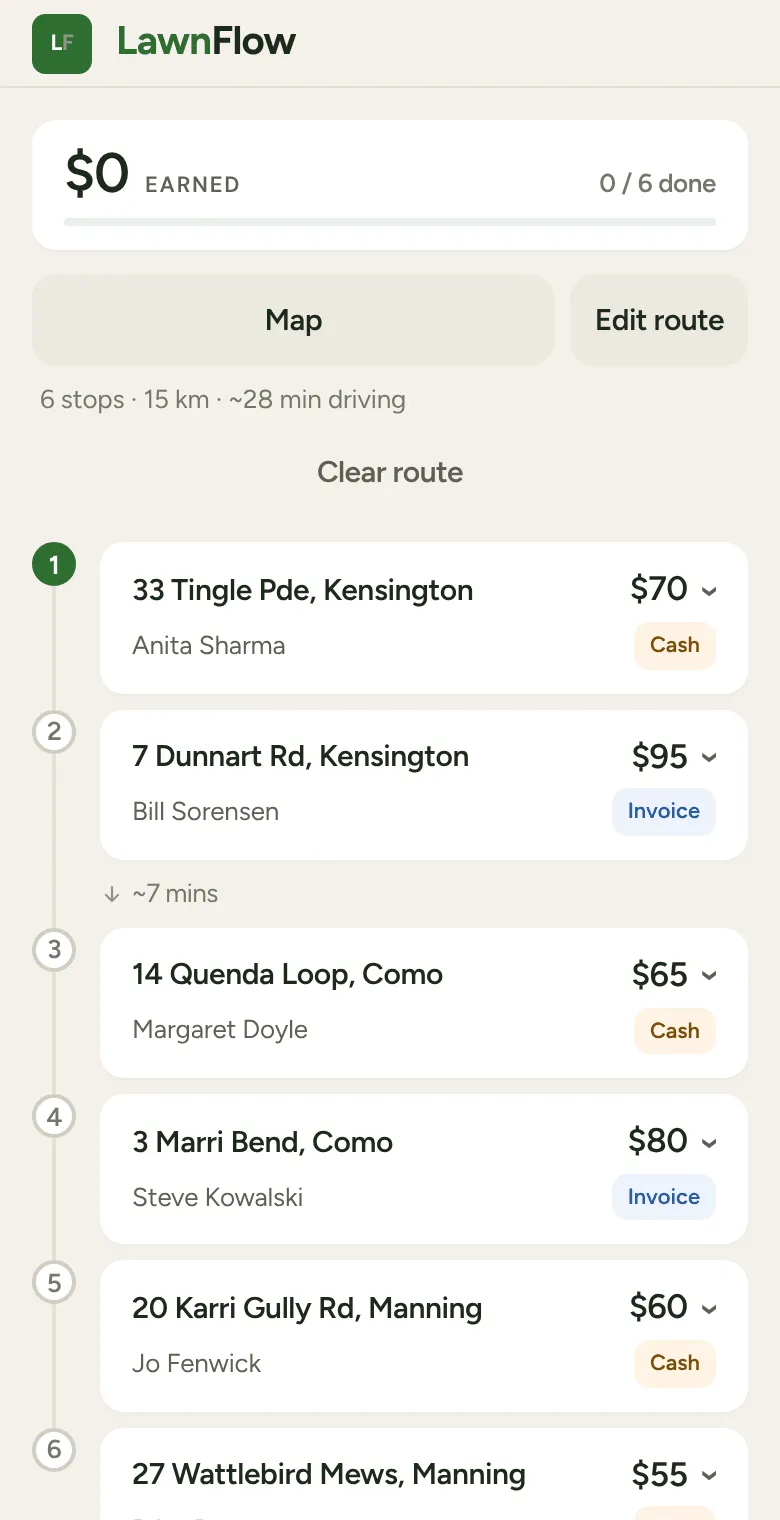
Open Today and tap Route Today. The jobs number themselves in the order to drive them. A line under the buttons shows the stops, the kilometres and the total drive time.
-
Tap a job to open it, then tap Navigate. On an iPhone it opens Apple Maps with directions to that address. On other phones it opens Google Maps.
-
When you tap Job Complete on a routed job, LawnFlow shows the next stop. Tap Navigate There to head off, or Skip Navigation.
Route Today uses the start and finish you picked last time. The first time, it starts from Where you are now and finishes at the home address saved in More (the Settings screen). With no home saved it opens Edit route instead, with the note “Save a home address in Settings for one-tap routing.”
Changing the start, the finish or the order
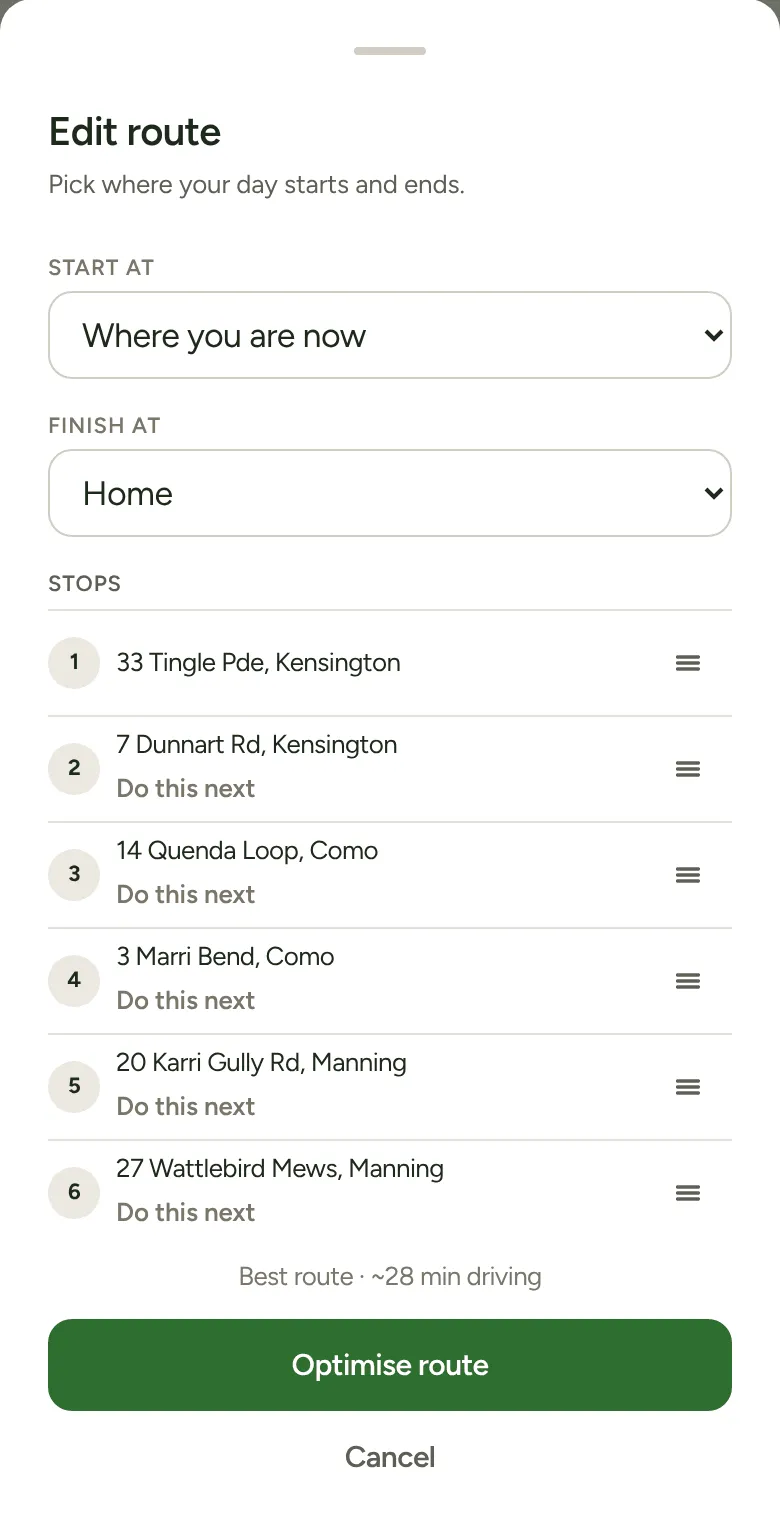
Section titled “Changing the start, the finish or the order”Tap Edit route.
- Start at: where you are now, your home, a worker’s home, one of today’s jobs, or Start in an area (it starts at the nearest job in that area).
- Finish at: your home, a worker’s home, or one of today’s jobs.
- Tap Optimise route to work the order out again.
While a route is set, the same sheet lists the stops. Press and hold a stop until it lifts, then drag it to where you want it. Or tap Do this next to move it to the front. The drive time for your order shows beside the best route’s, so you can see what it costs. Tap Save my order to keep it, or Reset to best route to go back.
Good to know
Section titled “Good to know”- Map shows today’s stops as numbered dots. Tap a dot, then Navigate here.
- Add or take a job off today while a route is set and a banner asks if you want to re-route. Re-Route works the order out again from where you are now to home.
- Clear route, under the drive time line, throws the order away. There’s no undo, but Route Today builds a new one in a tap.
- A job with no map pin can’t be routed. It sits at the bottom of the list with no number.