
How do I finish a job and get paid?
On Today, tap the job, tap Job Complete, then tap how they paid. For a cash customer that’s the whole thing. An invoice job asks you to check the amount, then Confirm.
-
On Today, tap a job to open it, then tap Job Complete.
-
For a cash customer, tap one:
- Cash Paid — $65: they paid for the visit. Done.
- No Cash — Add to Tab: they’ll pay you later. The visit goes on their tab.
- Paid a different amount: type what they actually gave you. See What if they pay a different amount?
If they already owe you, the sheet shows Tab Outstanding at the top, and the choices become Paid in Full, Today Only (the tab stays) and No Cash — Add to Tab.
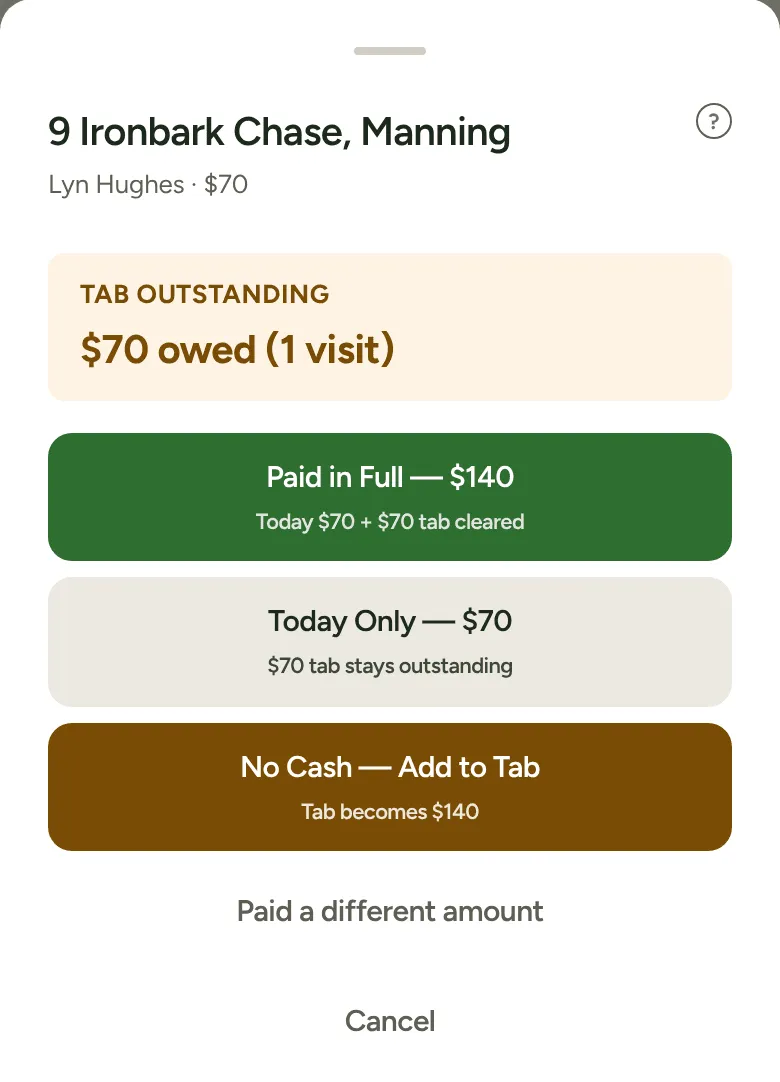
-
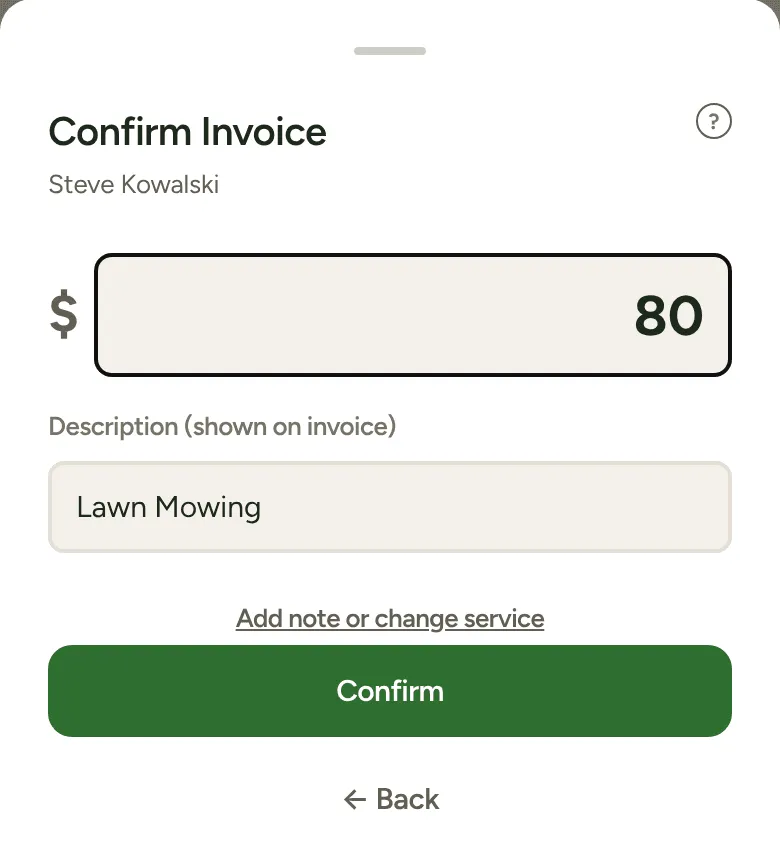
For an invoice customer, the sheet goes straight to Confirm Invoice. Check the amount and the Description (shown on invoice). On an hourly job, type the Hours and the amount works itself out. Tap Add note or change service for a note or a different service. Then tap Confirm.
The job moves to the Done list at the bottom of Today, with its amount. Got it wrong? Tap Undo next to it.
Where the money shows up
Section titled “Where the money shows up”- Anything owed shows on the Money tab under Cash to collect, so you can collect it next time.
- An invoice job goes to Xero as a draft by itself when Xero is connected and Send invoices to Xero is on. Otherwise it’s saved as done, and you bill it the way you always have.
One-off visits
Section titled “One-off visits”A one-off visit on Today carries a One-off tag. It finishes the same way, using the customer’s usual way of paying. Two differences: a one-off can’t pay off an old tab, and it doesn’t use up any credit they have.