
What do I do when a quote request comes in?
Open the request on the Quotes tab. If they said yes, tap Got the job, enter the price you agreed, and they become a customer. If not, tap Didn’t get it.
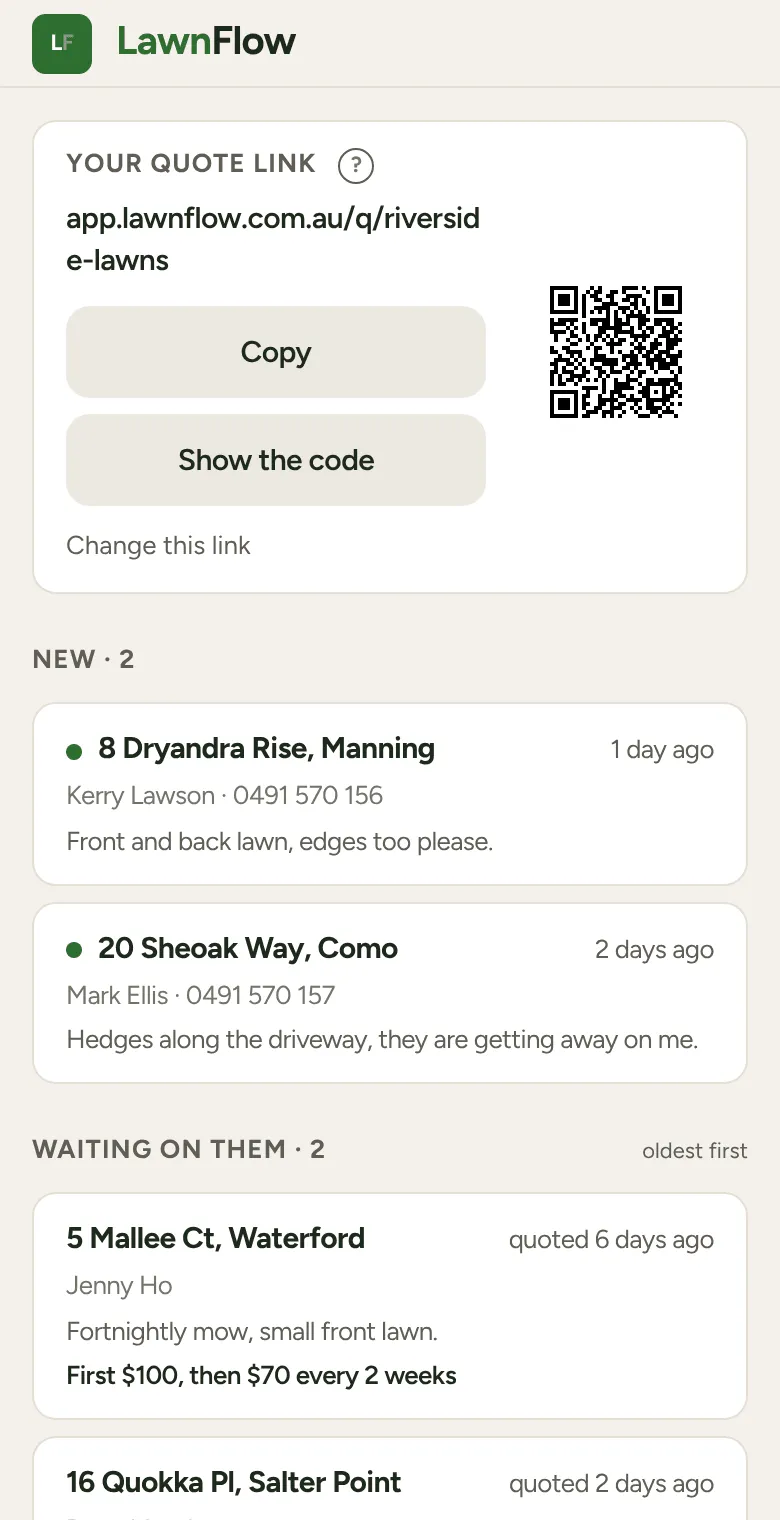
A new request puts a red count on the Quotes tab. The count is how many you haven’t opened yet.
The Quotes tab
Section titled “The Quotes tab”Requests sit in up to four lists. A list only shows when something is in it.
- New: requests you haven’t opened.
- Waiting on them: ones you’ve priced, oldest first, with how long ago you quoted. The top one has waited longest.
- Open: ones you’ve opened but not priced.
- Everything else: won, lost and binned. Tap it to see them.
Open a request
Section titled “Open a request”Tap it. You see the address, their name and number, What they want, and any photos they sent. Opening it moves it out of New.
They said yes
Section titled “They said yes”-
Tap Got the job.
-
The sheet asks What did you agree? Pick Regular (a first visit price, then a price every so many weeks) or One-off (a price and a week). Tap Save and set it up.
-
The Convert to Customer sheet opens with the price filled in. Check the address. If it isn’t on the map yet, start typing it and pick it from the list. Then choose the week under Schedule first visit. Tap Confirm.
They’re now a customer, and their profile opens. No retyping.
Pricing first, then waiting
Section titled “Pricing first, then waiting”Under Other ways, tap Price it now, fill in the price, and tap Save the price. The request moves to Waiting on them. Then tap Text them the quote to open Messages with the price written out, ready to send from your own phone. If they have no mobile saved, the text is copied instead so you can paste it.
The other buttons
Section titled “The other buttons”- Schedule a quote visit books a week to go and look.
- Ring them calls the number they gave.
- Didn’t get it files it as lost. Bin it is for junk. Neither deletes anything; both move it to Everything else.